Self Tape Tools for Auditions
Everything You Need to Record an Amazing Audition at Home
Check Out Our New Self Tape Mastery Online Course!
The ability to self tape auditions is an absolutely essential skill for any actor who wants to have a lasting career in this industry.
Fortunately, self taping is not rocket science! The tools below will help you record a professional looking (and sounding) audition from the comfort of your own home.
Disclosure: Please note that some of the links below are affiliate links. This means that if you end up buying one of these products, we will receive a small commission. Your cost is the same either way. Please do not spend any money on any of these products unless you feel that they will be helpful and useful to you.
Camera
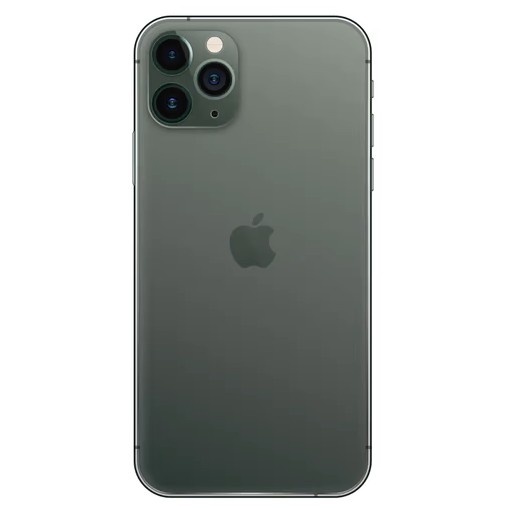
Your Phone
The recording device you use for your self-tapes is one of the first decisions you'll need to make. The good news is that you absolutely do not need to go out and buy a dedicated camera. Your phone will work just fine. I know many professional actors who consistently book film and television work while recording all of their self-tapes on a smartphone. In fact, I booked a Super Bowl commercial with an audition that was taped on my phone!
So when would I recommend using a camera instead of a phone? Only if you're willing to learn how to use it. If you're planning to leave the camera in full automatic mode, you're better off sticking with a smartphone. Modern phones do an excellent job of making decisions for you and often produce great results with very little effort.
The real advantage of a dedicated camera is the ability to manually control settings like ISO, shutter speed, aperture, white balance, and focal length. Those controls allow you to create a more polished and consistent image. If you're interested in learning those settings and taking advantage of what a camera can do, a dedicated camera can be a great investment. If you just want to point and shoot without worrying about the tech, your phone is likely the better choice.
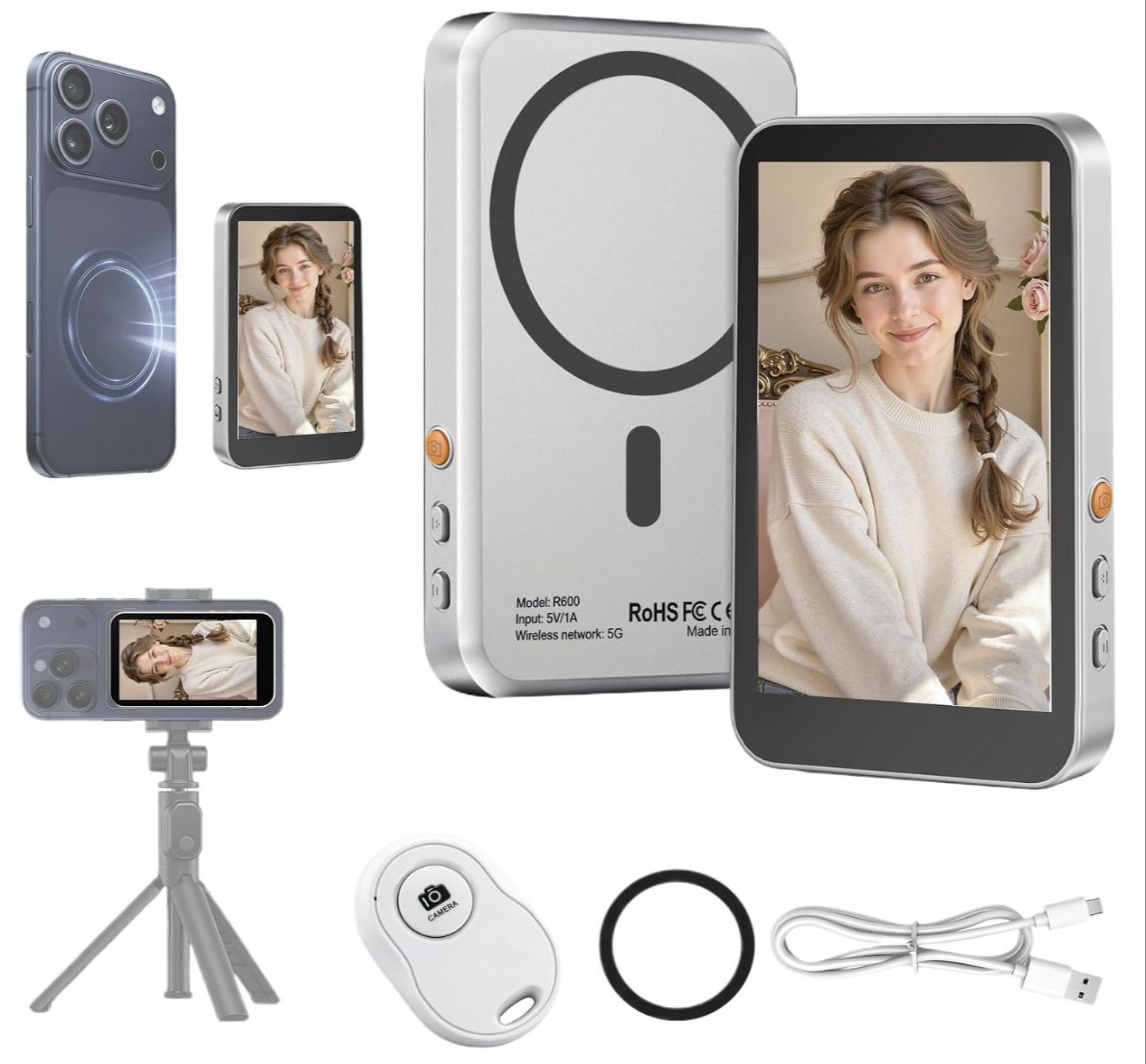
Wireless Selfie Monitor (phone accessory)
Use your phone's best camera without guessing your framing. This wireless monitor pairs with both iPhone and Android devices and lets you see yourself while recording with the rear camera, giving you better image quality while ensuring you're properly framed throughout your self-tape. It's a simple upgrade that helps you create more professional-looking auditions with the equipment you already own.
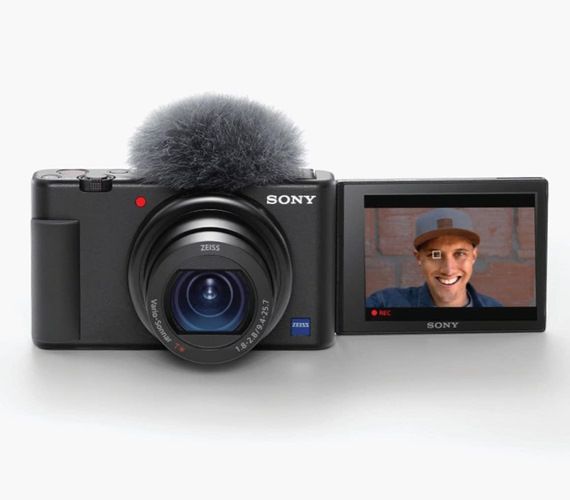
Sony ZV-1
If you're considering buying a dedicated self tape camera, the Sony ZV-1 is an excellent option. One of the best features is the small form factor. The camera is small enough to fit into your pocket.
If you do decide to get the ZV-1, a couple accessories I recommend are spare batteries and an L-bracket to allow you to access the battery and memory card without taking the camera off the tripod.
* NOTE: Do not get the ZV-1F, that version has a fixed lens that does not Zoom in and out.
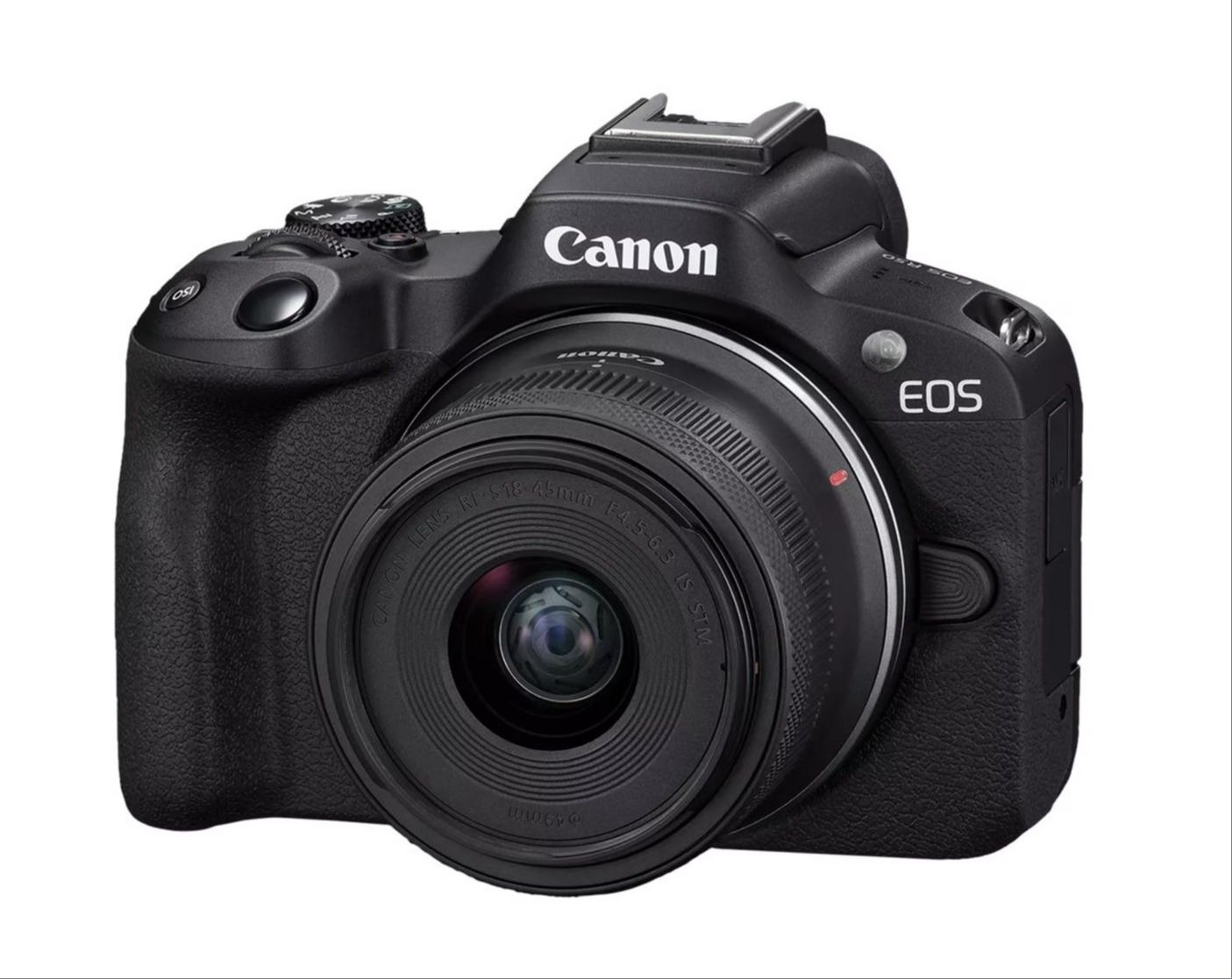
Canon EOS R50
The Canon EOS R50 is a very popular camera among YouTubers and actors. The R50 is an interchangeable lens camera, so if you plan on using your camera for other photography and video projects beyond self taping, then having the ability to change lenses might be desirable.
If you do decide to get the R50, a couple accessories I recommend are spare batteries and a battery door plate to allow you to access the battery and memory card without taking the camera off the tripod.
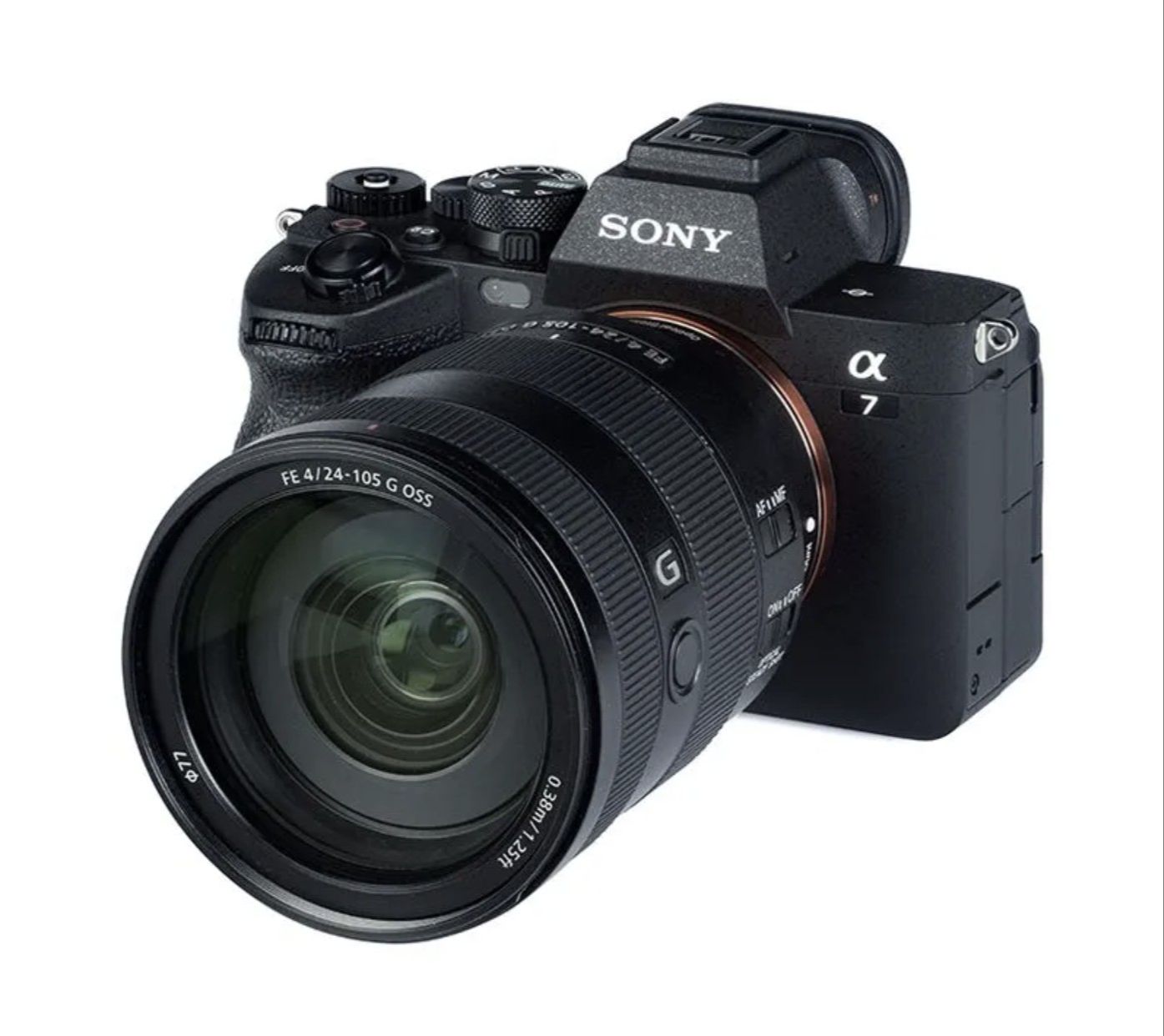
Sony A7 IV
If you're buying a camera exclusively for self-taping, the Sony a7 IV is probably overkill. Modern smartphones and less expensive cameras are more than capable of producing excellent-looking self-tapes, and most actors would be better off investing their money elsewhere.
That said, the Sony a7 IV is the camera I currently use for self-tapes. The reason is simple: I also do a lot of photography and video work outside of acting, so I already own the camera for those purposes. Since it's sitting in my office anyway, I might as well use it for auditions too.
If you already own an a7 IV or need a camera for photography, filmmaking, content creation, and self-taping, it's an excellent choice. I just wouldn't recommend buying one solely for recording auditions.
Learn the Audition Process of a Working Actor
KURT'S FREE AUDITION CHEAT SHEET: Take your film and TV auditions to the next level. Learn the audition techniques I've used to help me book over 50 movies and television shows.
Download the Cheat SheetTripod
Whether you're recording your self-tapes on a phone or a dedicated camera, you'll need a tripod to keep your shot stable and at face-level. Avoid having a friend or family member hold the camera for you. Even the steadiest hands will introduce movement that can be distracting.
Fortunately, a good tripod is one of the least expensive pieces of self-tape equipment you can buy, and it's an investment that will last for years.
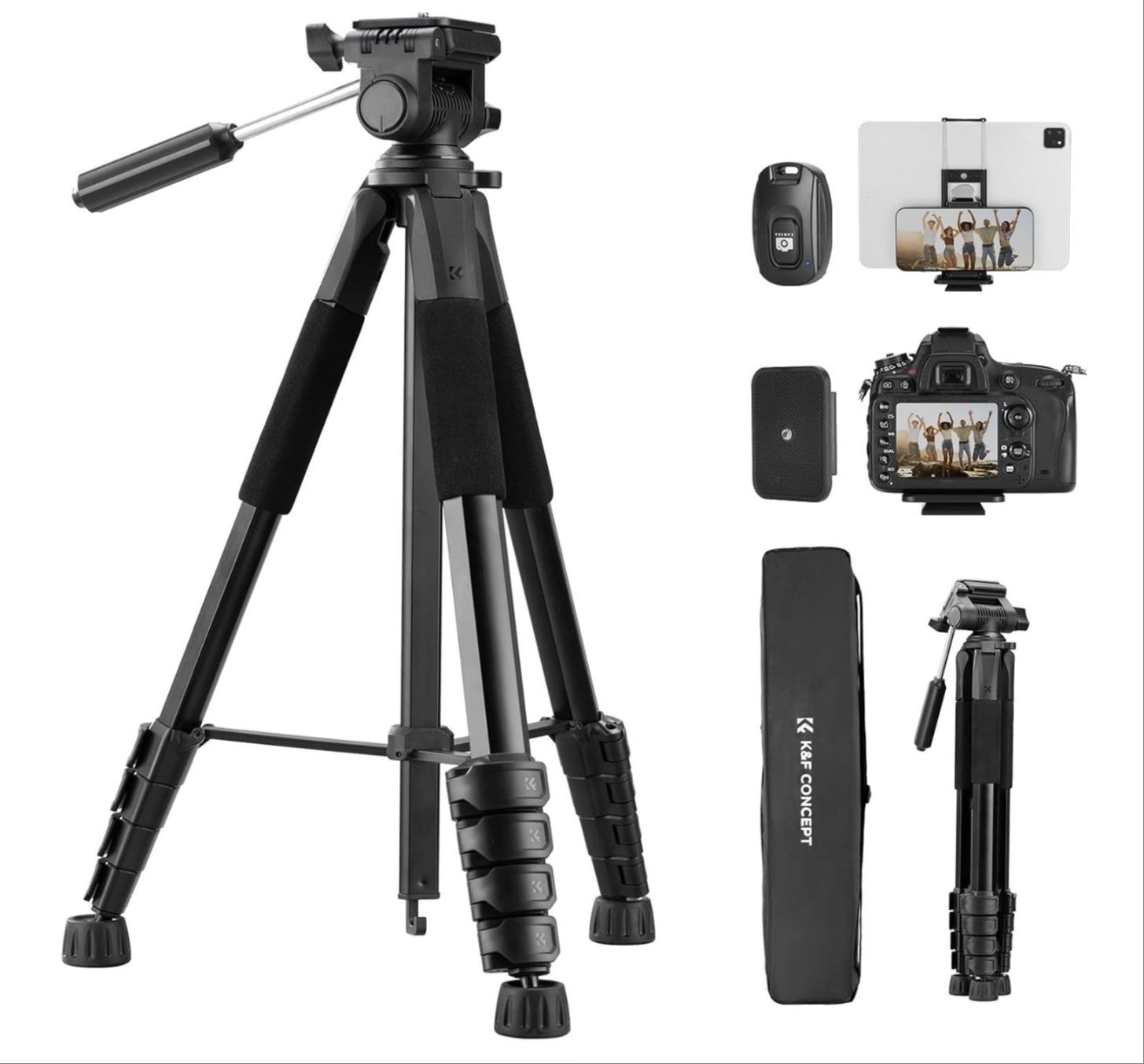
K&F Concept 75" Tripod with Phone Mount
Amazon's budget-friendly Amazon Basics tripod is a popular option and has plenty of positive reviews. But I've personally had two of them break over the years, so I prefer not to recommend it. That said, I know several actors who use it without any issues, so your experience may vary.
For about $10 more, this 75" tripod from K&F Concept feels noticeably sturdier and better built. It also includes a phone mount, making it a great all-in-one option for actors who self-tape with a smartphone.
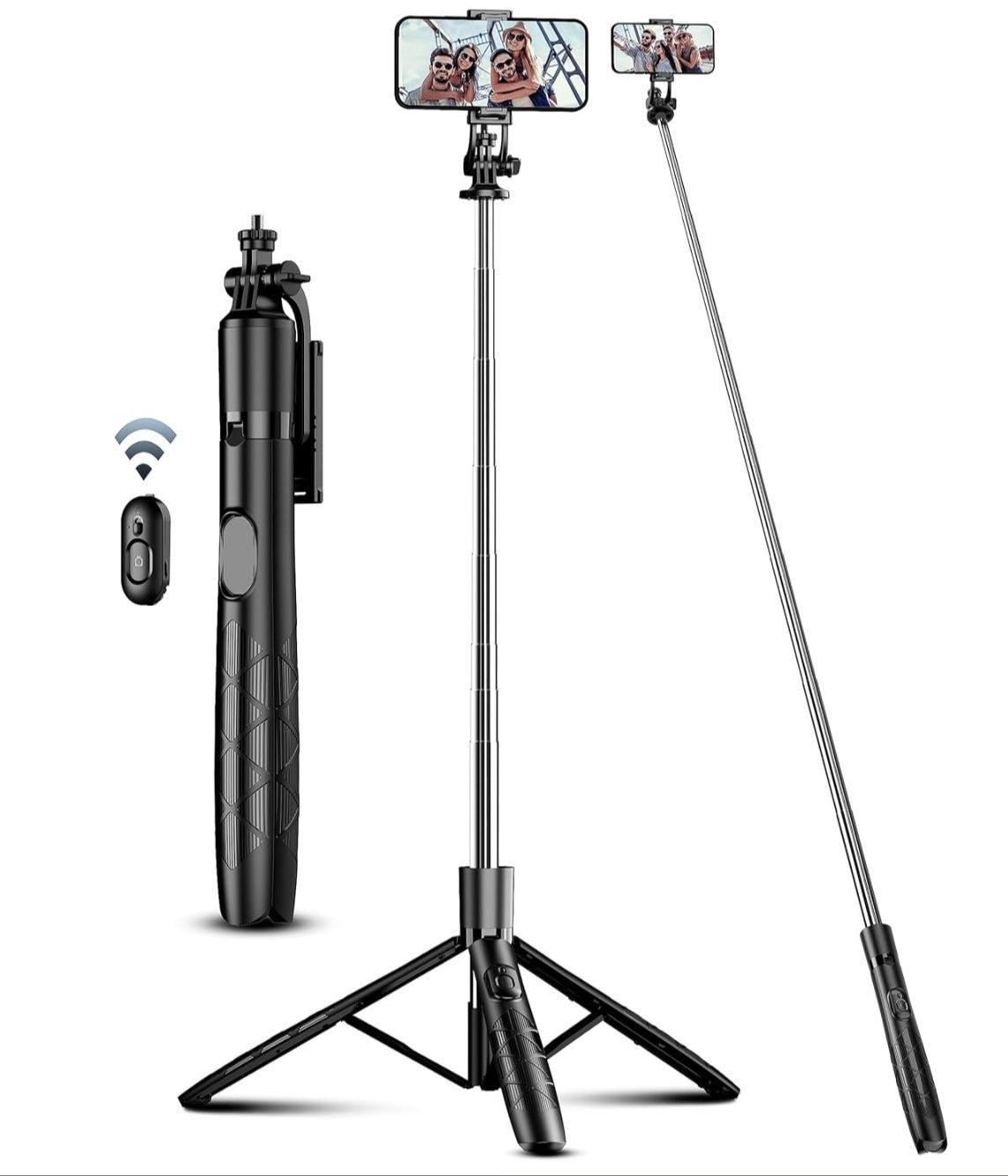
71" Travel Tripod for Phone
When I'm traveling, I like to pack as light as possible, and this tripod easily fits into a backpack or carry-on bag. I don't bring additional camera gear on most trips, and this tripod is more than capable of holding a phone at the proper height for self-tapes.
With a maximum height of 71 inches, it's tall enough for most actors, including those over 6 feet tall. If you record your self-tapes exclusively with a smartphone, this tripod can also serve as your primary setup at home.
Audio
As you start to build a more sophisticated self-taping setup, you'll probably want to get an external microphone. The on-board microphones on cell phones and cameras aren't known for capturing the highest quality sound. A lot of actors (myself included) prefer to use an external mic for audition purposes. I've listed two of my favorites below.
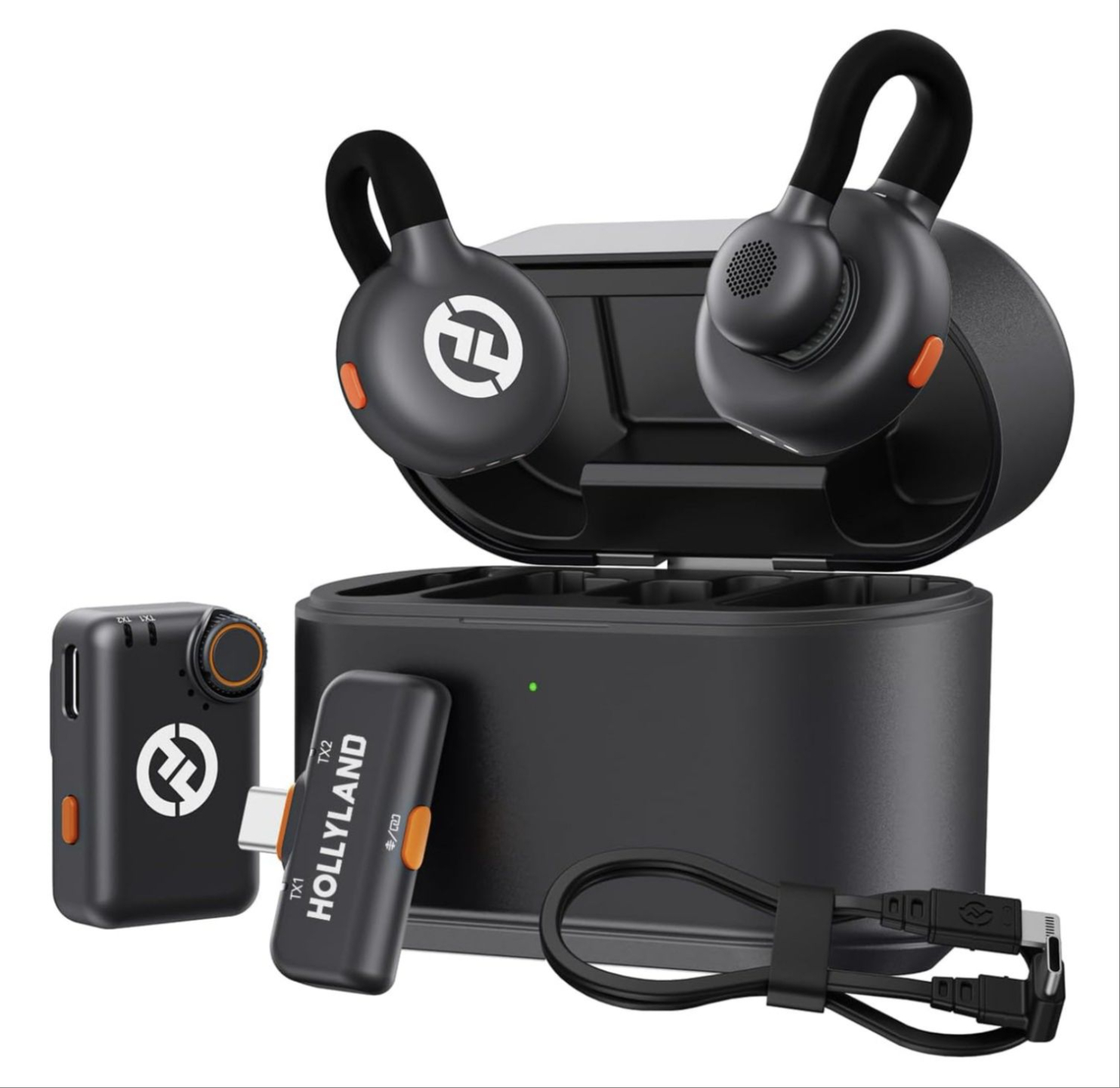
Hollyland Lark M2S Wireless Microphone
If you're looking to upgrade your audio quality, the Hollyland Lark M2S is one of my favorite wireless microphone systems for self-tapes. It works with both smartphones and cameras, making it a versatile option whether you're recording auditions at home or on the road.
The microphones are incredibly small and discreet, making them less noticeable on camera than many competing wireless systems. For actors who want clear, professional-sounding audio without a complicated setup, this is a great choice.
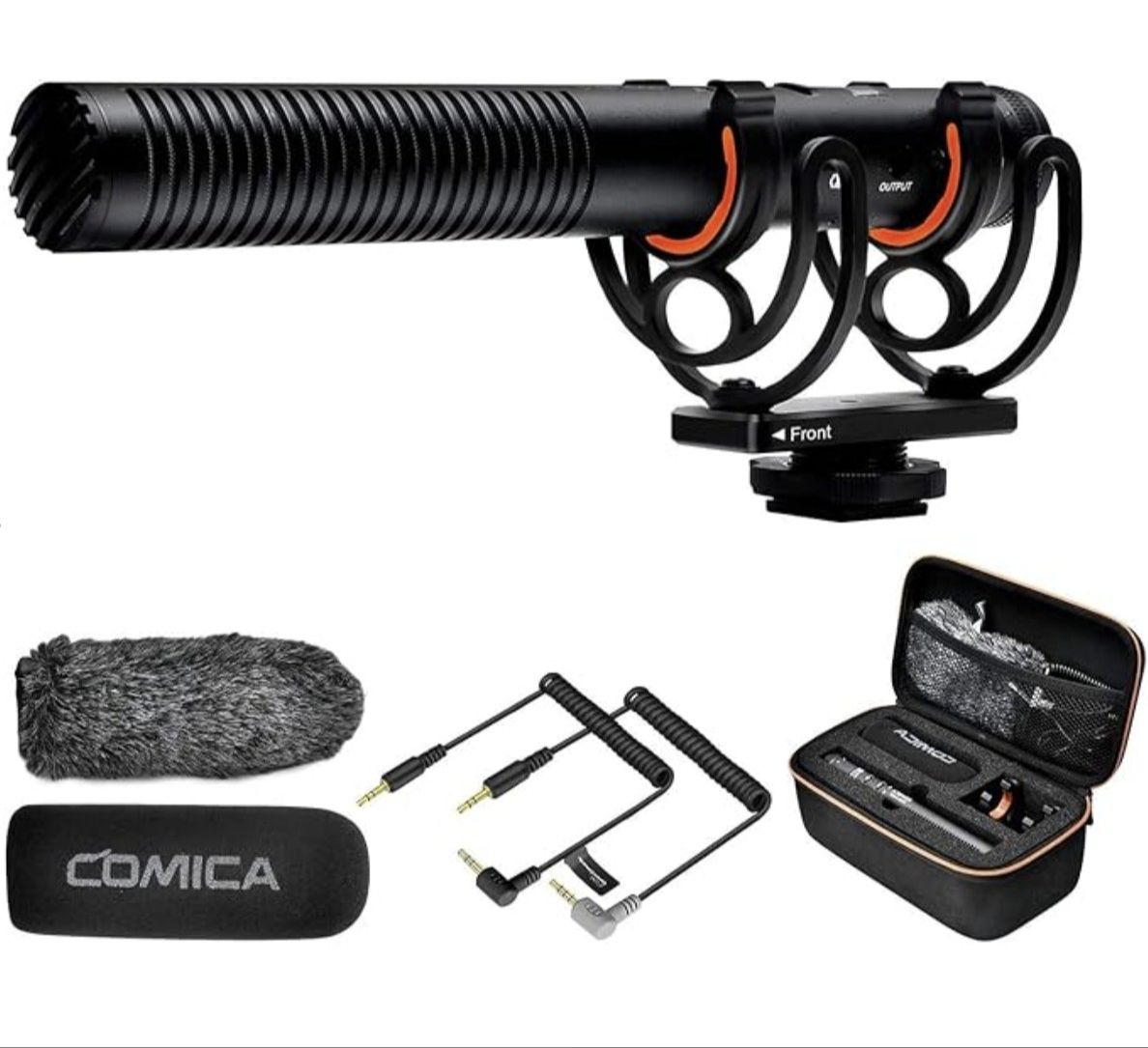
Comica VM20 Shotgun Microphone
This is the microphone I currently use for self-tapes at home. While wireless lavalier microphones are a great option, I personally prefer a shotgun microphone because I don't have to clip anything to my clothing or remember to remove it after I'm done taping.
The Comica VM20 captures clear, natural-sounding audio while keeping your setup simple. It's a great choice for actors who have a dedicated self-tape space and want professional audio quality without wearing a microphone on camera.
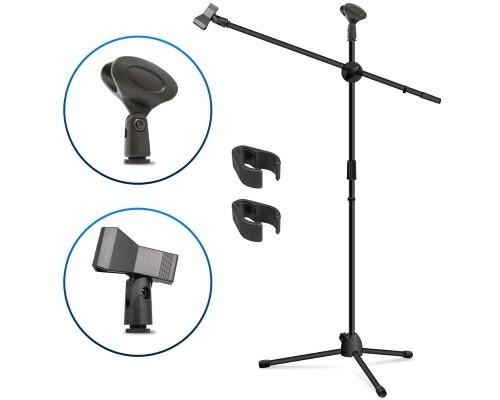
Kasonic Adjustable Microphone Boom Stand
A shotgun mic can be used on-camera or attached to a stand. I prefer the microphone to be closer to me than to the reader so I put mine on a microphone stand. I typically angle the mic so that it is below me, just out of frame. I like this stand from Kasonic because it comes with a clothespin style microphone holder which works best for shotgun mics.
Note: if you do use a microphone stand with one of the shotgun mics above, you will need a microphone extension cable.
Lighting
If you aren't happy with the quality of the the natural light coming through your windows or the lamps available at home, you may want to consider getting some lights dedicated to your auditions. I prefer softbox lights because they produce nice even light on the subject while minimizing shadows on the background. Every room is different, though, so you will need to experiment a bit.
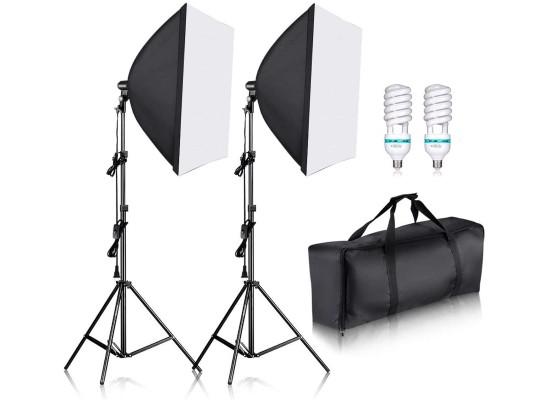
Neewer 24x24 inch Softbox Light Kit
Softbox lights are great at producing a nice even light that isn’t harsh on your face. This Neewer Softbox Light Kit is what I currently use in my home audition studio. They use CFL bulbs which are relatively cool. My first set of softbox lights used halogen bulbs. I would NOT recommend those. It got so hot under those lights I would start sweating after only a few minutes.
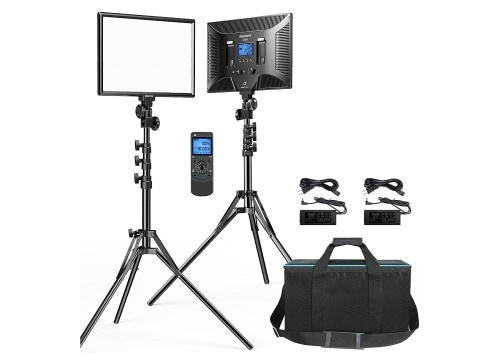
Dazzne LED Video Light Panel Lights
If you have limited space in your self taping area, the softbox lights may not be a great option because they are so big and clunky. In that case, you might want to consider some LED panel lights.
These 15.4" light panels from Dazzne take up a lot less room than the softboxes. A second advantage is that these lights are LED, which means they are dimmable. You can control exactly how bright or dark you want your video to be.
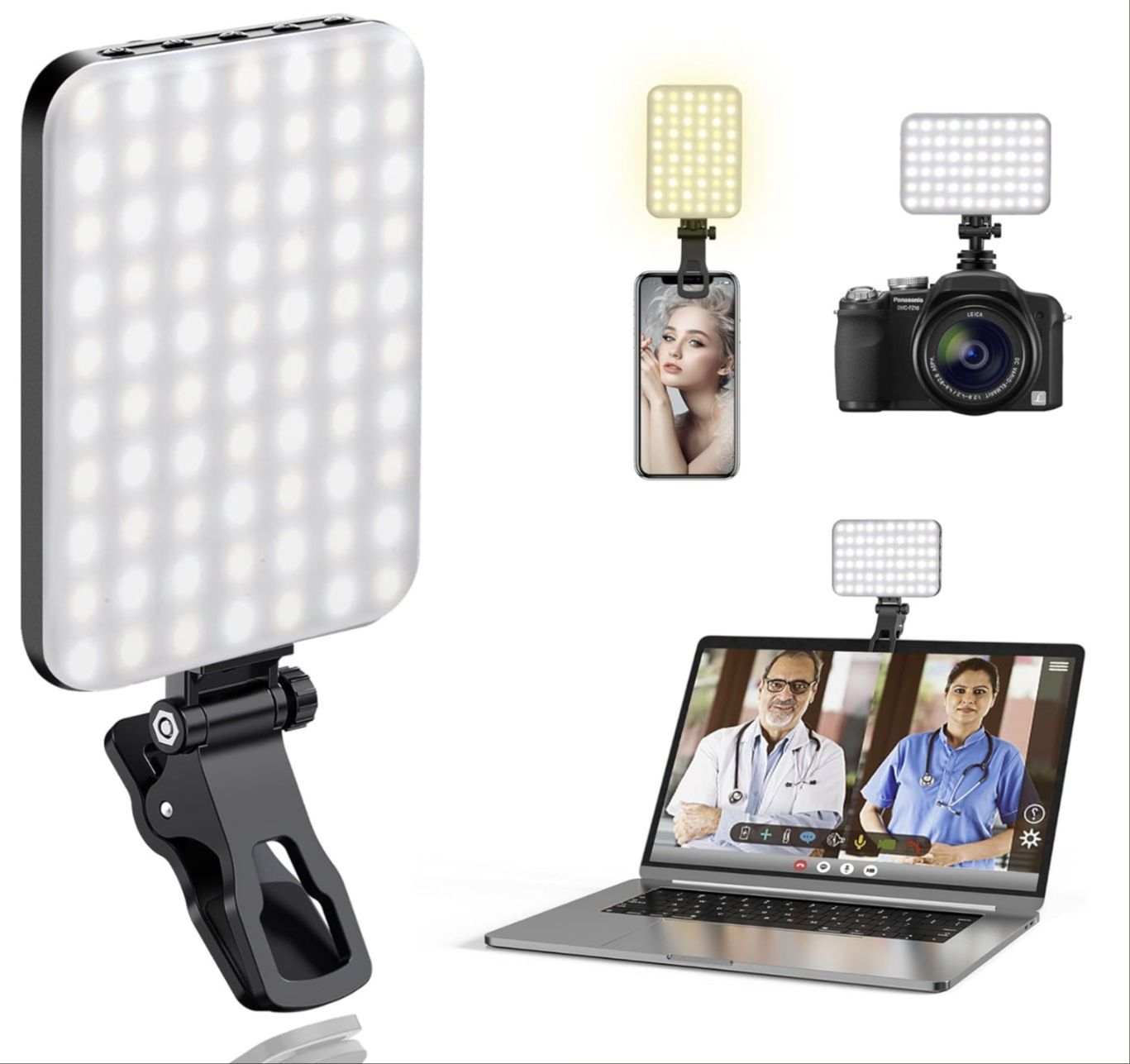
Clip-On LED Selfie Light
I don't use a clip-on selfie light for my everyday self-tape setup at home, but I always keep one in my travel bag. Hotel rooms, Airbnbs, and other temporary locations often have poor lighting, and a small LED light can make a big difference when you need to record an audition on the road.
These lights clip directly onto your phone and provide an instant boost of light to your face. They're lightweight, inexpensive, and take up almost no space in your luggage. If you travel frequently and occasionally need to tape auditions away from home, this is a simple tool that's nice to have available just in case.
Backdrops
For most self-tapes, I prefer a simple solid gray or blue wall. If you have access to a neutral-colored wall, you probably don't need to buy anything else.
If a suitable wall isn't available, a bed sheet, a curtain, or simply a closed door can work perfectly well as a backdrop. Remember, the goal is simply to create a clean, distraction-free background that keeps the focus on your performance.
If none of those options are practical for your space, you may want to consider investing in a professional backdrop.
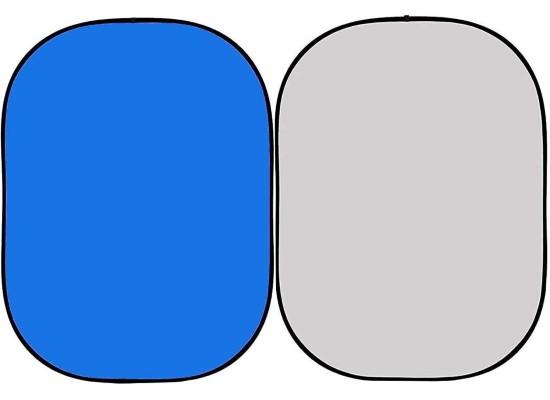
ePhotoInc Collapsible Background
These collapsible backdrops are great if you don't have a lot of space. They open up to 5ft x 6.5ft and fold up nicely to a compact 28 inches for storage. I particularly like that one side is gray and one side is blue so that you can decide which color works best for you.
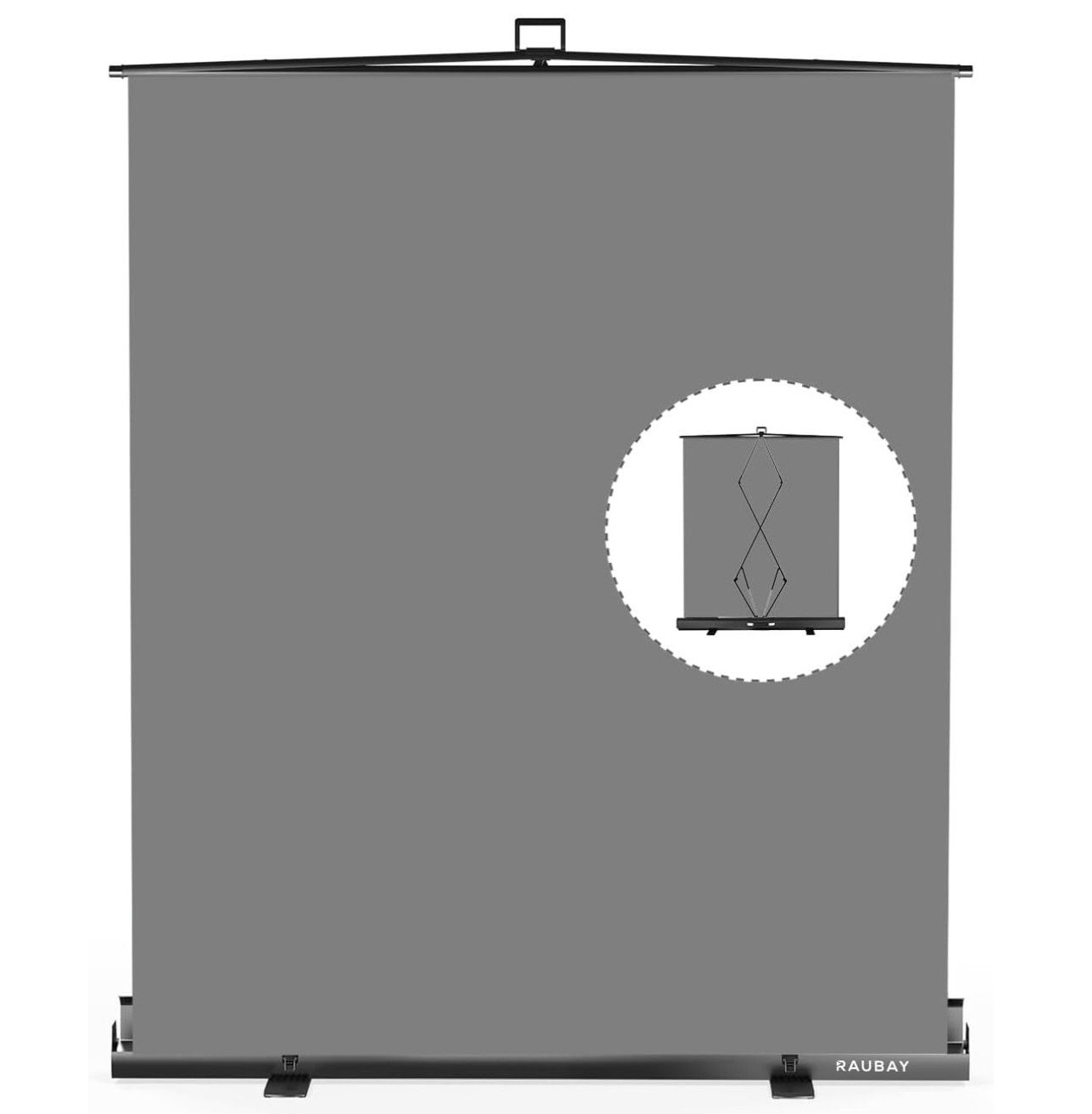
RAUBAY Pull-Up Backdrop
If you like the convenience of collapsible backdrops but want something that feels a bit more substantial, a pull-up backdrop is a great option. The backdrop pulls up from a compact base and locks into place, creating a smooth, wrinkle-free background in seconds.
One of the biggest advantages is that it is completely self-supporting, so there are no backdrop stands or support poles to assemble. When you're finished, it retracts back into its case for easy storage. The entire unit is slim enough to slide under a bed, couch, or into a closet, making it a great solution for actors who want a dedicated self-tape backdrop without permanently dedicating space to it.
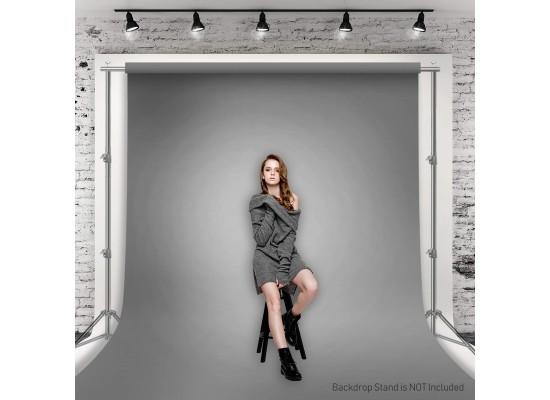
Julius Studio 6 ft X 9 ft Grey Fabric Backdrop
This type of fabric backdrop is just a more professional version of hanging up a bed sheet. What's nice is that it has the loop at the top so that you can use it with a backdrop stand or a curtain rod. This one has multiple color options but just one size (6x9). There are other similar backdrops with different size options as well.
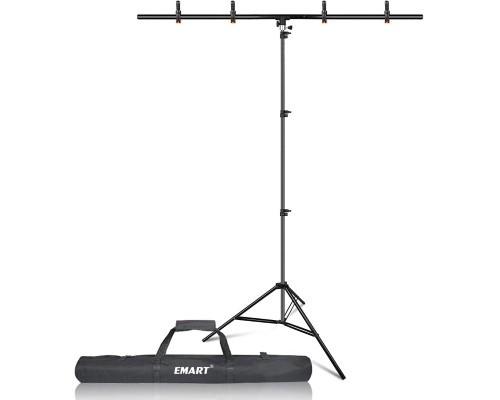
Emart T-Shape Backdrop Support Stand
This backdrop stand is 5 ft wide and can adjust up to 8 ft tall. It comes with 4 spring clamps to help hold whatever backdrop you are using. A T-shaped stand like this is great when you don't have much room and want to save space. It's also easy to take down and put away when you are finished.
Editing
Video editing is becoming easier and easier these days. Most smart phones have some sort of video editor built in so you don't even need to download a separate app to do the job. If you're like me and prefer to do your editing on a computer, here are a few options for both Mac and PC.
Apple iMovie
If you have a Mac, iMovie is the video editor you should be using. Many Macbooks come with it pre-installed but if yours doesn’t, it only costs about $15. Apple iMovie is extremely easy to learn and use and is absolutely perfect for editing auditions. There is a free mobile version available in the app store if you want to edit directly on your iPhone or iPad.
CapCut Video Editor
CapCut is available for Mac, PC, and mobile devices, and while it was once completely free, some features are now locked behind a paid subscription. Fortunately, most of the tools actors need for editing self-tapes, such as trimming clips, combining takes, and exporting video, are still available in the free version.
For Mac users, I generally still recommend iMovie because it's simple, reliable, and included with most Apple devices. For PC users, however, CapCut remains one of the best free editing options I've come across and is more than capable of handling self-tape editing.

HandBrake Video Transcoder
Use HandBrake to compress video files that are too big to send. This FREE video transcoder program has been a godsend for me. Anybody who has ever needed to upload their self recorded auditions has run into the issue of file sizes being too large. HandBrake does an awesome job of compressing the size of the file while maintaining video quality. It’s available for both Mac and PC.
Learn the Audition Process of a Working Actor
KURT'S FREE AUDITION CHEAT SHEET: Take your film and TV auditions to the next level. Learn the audition techniques I've used to help me book over 50 movies and television shows.